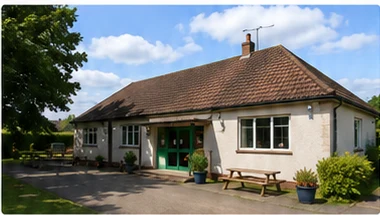
 Spotlight Venue
Example listing
Community Hall
Somerset, England
- Accessible Toilets
- Kitchen
- Parking
For hall and venue owners
Create a free listing for your hall or venue, help local people discover your space and manage enquiries directly. You stay in control from the first enquiry to the booking.
Spotlight Venue
Example listing
Somerset, England
Add the information people need, publish your page and deal directly with anyone interested in hiring your space.
Sign up in a few minutes using your email address.
Add photographs, capacity, facilities, contact details and a useful description.
Go live with a free Basic listing or choose a plan with more visibility.
Enquiries come to you, so you can respond and make the arrangements.
Choose the route that matches your situation and we will help you get the hall details back under the right person’s control.
Open your dashboard and select the listing you want to change. You can update its details, add photos or change its plan.
Log in to your accountCreate an account, find the hall’s existing page and submit a transfer request. We will check the request before moving the listing into your account.
Create an account to get startedCreate an account, add your hall or venue details and publish the listing. We will create a dedicated page that people can find when they search HallsHire.com for venues in your area.
No. A Basic listing is free and no payment details are required. You can keep the free listing or compare Spotlight and Featured plans if you would like more visibility.
Yes. Log in to your account, open the listing from your dashboard and update the information or photographs whenever you need to.
Find the existing hall page and use the transfer request option. We will check the request before moving the listing into your account.
People contact the hall directly using the details or enquiry form on its listing. You respond to them and arrange the booking yourself. Hallshire does not take booking commission.
Use the Hallshire contact page to send us a message and we will reply by email.
Still have a question? Send us a message.
Join thousands of halls and venues already helping people discover useful local spaces.